Volunteer Sign Up "How To"
Click on the blue (shown green in example below) Job Sign-up link to register to work a specific meet or event job; otherwise you can see a list of the jobs filled by clicking on the red View Sign-ups link.
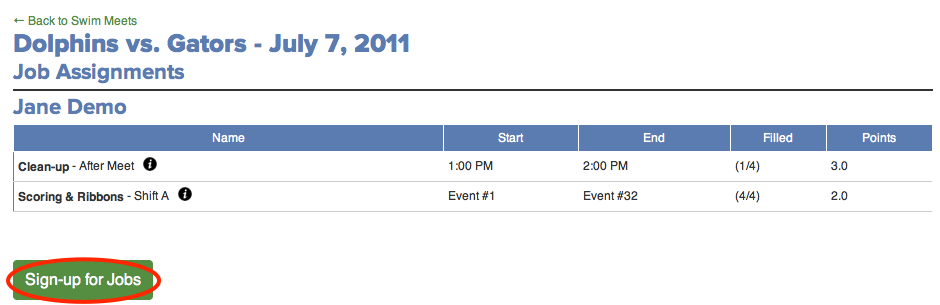
Your assigned or previously selected jobs will appear for that meet. You can edit these selections by clicking the Sign-up for jobs link.
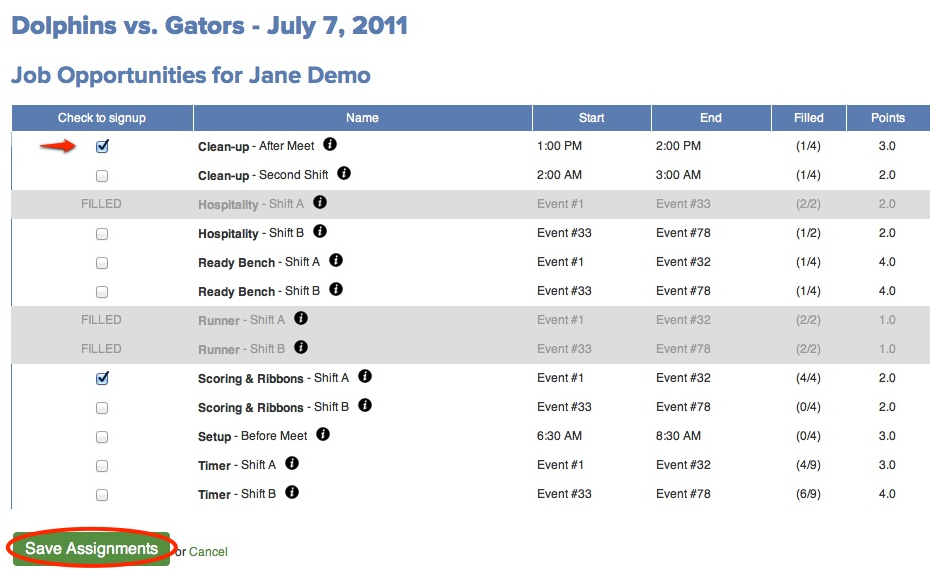
Hints: Roll your mouse over the "i" next to each job name to view a description of that job. Roll your mouse over the numbers in the Filled column to see who has already signed up for that job.
A list of all meet jobs available for sign-up will be displayed with shift times, slots filled and points (if applicable).
Make your changes by selecting or deselecting the checkbox next to each job, and click the Save Assignments button.